Advanced Color Conversion
Overview
The Advanced Color Conversion sample demonstrates GPU-accelerated color-space transformation
using CV-CUDA’s advcvtcolor operator. Unlike the basic CvtColor Operator,
advcvtcolor accepts a :pydata:`cvcuda.ColorSpec` argument that selects the standardized
luma/chroma coefficients (BT.601, BT.709, or BT.2020) used during the conversion. Each standard also
has a full-range _ER variant. This sample converts an RGB image to full-range YUV (BT.709 ER) and
then back to RGB, demonstrating the round-trip workflow common in video-processing pipelines.
Usage
Basic Usage
Run with the default tabby cat image:
python3 advcvtcolor.py -i input.jpg
Custom Input and Output
Specify a custom input image and output path:
python3 advcvtcolor.py -i image.jpg -o cat_advcvtcolor.jpg
Command-Line Arguments
Argument |
Short Form |
Default |
Description |
|---|---|---|---|
|
|
tabby_tiger_cat.jpg |
Input image file path |
|
|
cvcuda/.cache/cat_advcvtcolor.jpg |
Output image file path |
Implementation
RGB to YUV and Back
# 1. Convert the RGB image to YUV using the full-range BT.709 color specification.
#    BT.709 is the standard for HDTV content; the _ER name makes AdvCvtColor's
#    full-sample-range arithmetic explicit.
yuv_image: cvcuda.Tensor = cvcuda.advcvtcolor(
    input_image,
    cvcuda.ColorConversion.RGB2YUV,
    cvcuda.ColorSpec.BT709_ER,
)

# 2. Convert the YUV image back to RGB so the result is a viewable image.
#    Using the same color specification (full-range BT.709) ensures a round-trip that
#    closely reproduces the original colors.
output_image: cvcuda.Tensor = cvcuda.advcvtcolor(
    yuv_image,
    cvcuda.ColorConversion.YUV2RGB,
    cvcuda.ColorSpec.BT709_ER,
)

write_image(output_image, args.output)
Key points:
Color Specification: The
specargument selects the luma/chroma coefficients standard (BT.601 for SD video, BT.709 for HDTV, BT.2020 for UHD/HDR). The corresponding_ERvalues explicitly identify full range. AdvCvtColor’s U8 arithmetic uses the full sample range for both variants, so each base and_ERpair shares a coefficient family. Mixing standards between forward and inverse conversions will produce incorrect colors.Round-trip fidelity: Converting RGB → YUV → RGB with the same
ColorSpecclosely reproduces the original image; any visible difference is due to quantization in uint8.Supported layouts: Both
HWC(single image) andNHWC(batch) layouts are accepted without any reshaping step.Output shape preserved: The output tensor always has the same shape and dtype as the input, so no extra allocation or reshape is needed for 444 (3-channel) conversions.
NV12/NV21 variants: For semi-planar YUV (NV12/NV21) conversions the input height must be
H * 3 / 2and channels must be 1; the 444 interleaved path used here keeps the standard(H, W, 3)shape.
Expected Output
After the RGB → YUV → RGB round-trip the image looks nearly identical to the original:

Original Input Image |
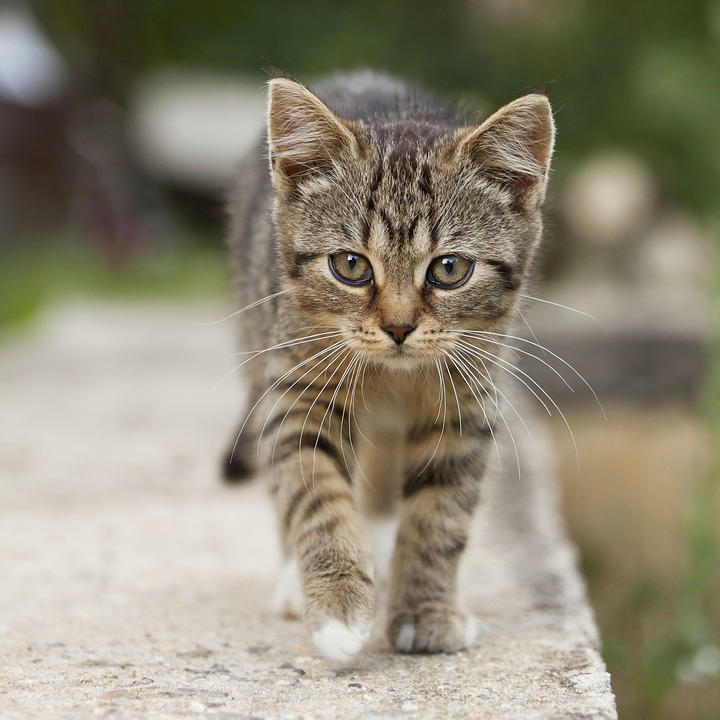
Output: RGB → YUV (BT.709 ER) → RGB |
CV-CUDA Operators Used
Operator |
Purpose |
|---|---|
Convert between RGB and YUV color spaces with a selectable color specification |
Common Utilities Used
read_image() - Load image as CV-CUDA tensor
write_image() - Save the color-converted image
See Also
Resize Operator - GPU-accelerated image resizing
Common Utilities - Helper functions used across samples