Color Conversion
Overview
The Color Conversion sample demonstrates GPU-accelerated color space conversion using CV-CUDA’s
cvtcolor operator. The example reads an input image, converts it from RGB to BGR by swapping
the red and blue channels, and writes the result as a viewable uint8 JPEG. The same operator
supports a wide range of conversions including grayscale, RGBA, HSV, and YUV formats — only the
code argument needs to change.
Usage
Basic Usage
Convert the default tabby-cat image (RGB to BGR):
python3 cvtcolor.py
Custom Input and Output
Specify input and output paths explicitly:
python3 cvtcolor.py -i input.jpg -o cat_cvtcolor.jpg
Command-Line Arguments
Argument |
Short Form |
Default |
Description |
|---|---|---|---|
|
|
tabby_tiger_cat.jpg |
Input image file path |
|
|
cvcuda/.cache/cat_cvtcolor.jpg |
Output image file path |
Implementation
Color Space Conversion
# cvtcolor requires a batched (NHWC) tensor, so wrap the HWC image in a batch
# dimension using cvcuda.stack before passing it to the operator.
nhwc_image: cvcuda.Tensor = cvcuda.stack([input_image])

# Swap the R and B channels (RGB2BGR) — the output is a visually distinct
# but still fully viewable 3-channel uint8 image, making the conversion easy
# to verify by eye (warm tones shift to cool and vice versa).
converted: cvcuda.Tensor = cvcuda.cvtcolor(
    nhwc_image, code=cvcuda.ColorConversion.RGB2BGR
)

# Drop the batch dimension back to HWC so write_image can encode the result.
output_image: cvcuda.Tensor = converted.reshape(converted.shape[1:], "HWC")
write_image(output_image, args.output)
Key points:
Batched input:
cvcuda.cvtcolorrequires an NHWC tensor; a single HWC image is promoted to a batch of one withcvcuda.stack.ColorConversion enum: The desired conversion is selected by passing a :pydata:`cvcuda.ColorConversion` member as the
codekeyword argument.Symmetric channel counts: The source and destination channel counts must match the chosen conversion code (e.g. RGB2BGR keeps 3 channels; BGR2GRAY reduces to 1).
Batch dimension removal: After conversion the leading batch dimension is dropped with
Tensor.reshapeso the result is a plain HWC tensor thatwrite_imagecan encode directly as JPEG.Supported dtypes: The operator accepts
uint8anduint16inputs; the default JPEG pipeline usesuint8.
Expected Output
The output shows the input image with red and blue channels exchanged. Warm-toned areas (e.g. orange fur) appear cooler and vice versa:

Original Input Image |
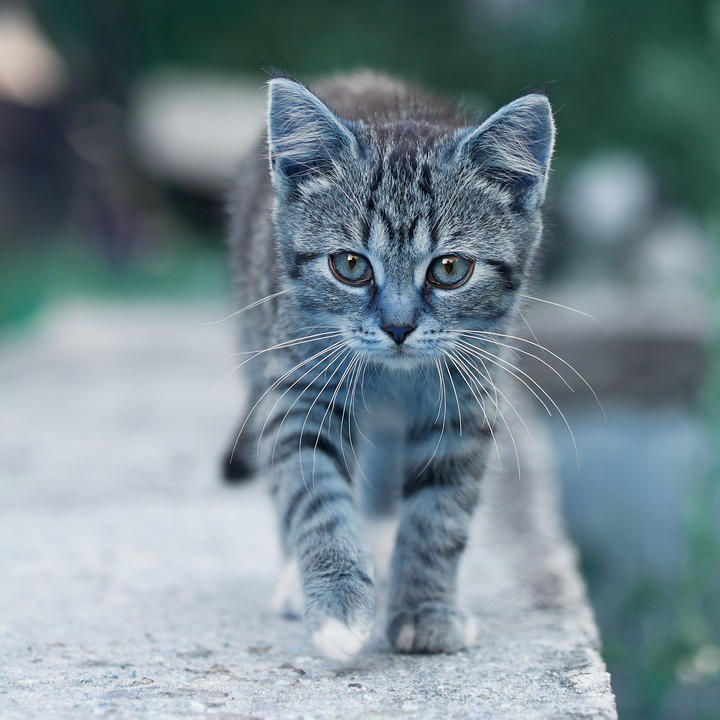
Output: RGB channels converted to BGR |
CV-CUDA Operators Used
Operator |
Purpose |
|---|---|
Convert image between color spaces using a GPU-accelerated kernel |
Common Utilities Used
read_image() - Load image as CV-CUDA tensor
write_image() - Save color-converted image
See Also
Resize Operator - Basic single-image operator example
Common Utilities - Helper functions used across samples