Color Twist
Overview
The Color Twist sample demonstrates per-channel affine color transformation using CV-CUDA’s
GPU-accelerated color_twist operator. A 3×4 float matrix defines how each output channel is
computed as a linear combination of the input channels plus a bias, enabling operations such as
saturation adjustments, color temperature shifts, sepia toning, and general channel mixing.
Usage
Basic Usage
Apply the default warm-tint color twist to an image:
python3 color_twist.py -i input.jpg
Custom Output Path
Specify a custom output path:
python3 color_twist.py -i input.jpg -o cat_color_twist.jpg
Command-Line Arguments
Argument |
Short Form |
Default |
Description |
|---|---|---|---|
|
|
tabby_tiger_cat.jpg |
Input image file path |
|
|
cvcuda/.cache/cat_color_twist.jpg |
Output image file path |
Implementation
Color Twist Transform
# The color_twist operator expects a twist matrix of shape (3, 4) with dtype F32,
# interpreted as "HW" layout.  Each row i defines the output for channel i:
#   out[i] = twist[i,0]*R + twist[i,1]*G + twist[i,2]*B + twist[i,3]
# (the +offset column allows brightness shifts per channel).
#
# Below we build a "warm-boost" matrix that:
#   - scales the red channel slightly up   (row 0)
#   - leaves the green channel unchanged   (row 1)
#   - scales the blue channel slightly down (row 2)
# This gives the image a warm, golden-hour tint.
twist_np = np.array(
    [
        [1.2, 0.0, 0.0, 10.0],  # R' = 1.2*R + 10
        [0.0, 1.0, 0.0, 0.0],  # G' = G
        [0.0, 0.0, 0.8, -10.0],  # B' = 0.8*B - 10
    ],
    dtype=np.float32,
)

# Allocate a (3, 4) F32 tensor on device with layout "HW" and upload the matrix.
twist_tensor = cvcuda.Tensor((3, 4), cvcuda.Type.F32, "HW")
cuda_memcpy_h2d(twist_np, twist_tensor.cuda())
Key points:
Twist matrix layout: The twist tensor has shape
(3, 4)with"HW"layout. Rowidefines the output for channeliastwist[i,0]*R + twist[i,1]*G + twist[i,2]*B + twist[i,3].Offset column: The fourth column acts as a per-channel bias (brightness shift), allowing independent control of each channel’s black point.
Automatic clipping: The operator clips results back into the source dtype’s representable range, so no explicit clamping is needed.
Batch support: Pass an
NHWCtensor or anImageBatchVarShapeto process a whole batch in one GPU kernel launch.
Expected Output
The output shows the image with a warm golden-hour tint (red boosted, blue slightly reduced):

Original Input Image |
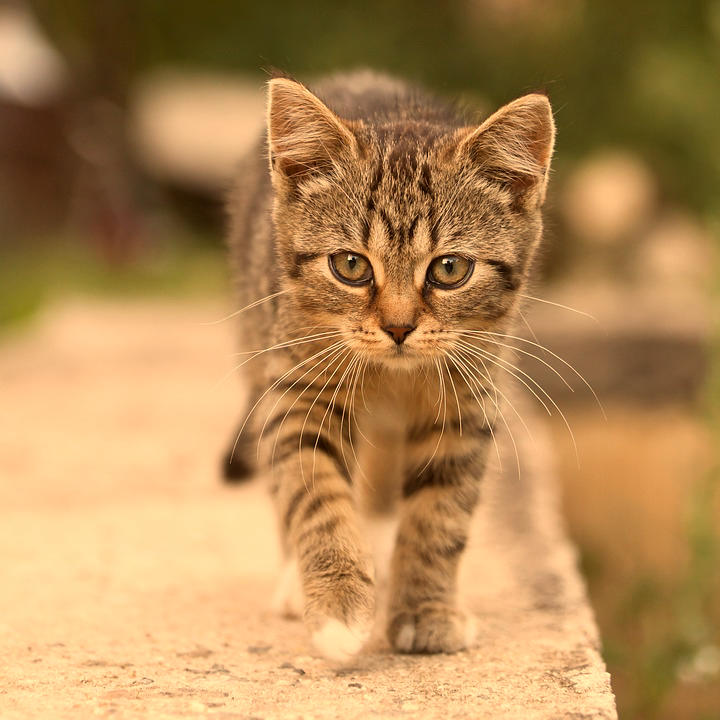
Output: Warm Color Twist Applied |
CV-CUDA Operators Used
Operator |
Purpose |
|---|---|
Apply a 3×4 per-channel affine color transform to every pixel |
Common Utilities Used
read_image() - Load image as CV-CUDA tensor
write_image() - Save color-twisted image
cuda_memcpy_h2d- Upload the twist matrix from host NumPy array to device tensor
See Also
Resize Operator - GPU-accelerated image resizing
Common Utilities - Helper functions used by all samples