Flip
Overview
The Flip sample demonstrates GPU-accelerated image flipping using CV-CUDA’s flip operator. The operator mirrors an image along one or both axes: horizontal (left-right), vertical (top-bottom), or both simultaneously.
Usage
Basic Usage
Flip the default input image horizontally (left-right mirror):
python3 flip.py -i input.jpg
Custom Output Path
Write the flipped result to a custom path:
python3 flip.py -i input.jpg -o cat_flip.jpg
Command-Line Arguments
Argument |
Short Form |
Default |
Description |
|---|---|---|---|
|
|
tabby_tiger_cat.jpg |
Input image file path |
|
|
cvcuda/.cache/cat_flip.jpg |
Output image file path |
Implementation
Horizontal Flip
# Flip the image along the horizontal axis (left-right mirror).
# flipCode=1 flips left-right; 0 flips top-bottom; -1 flips both axes.
output_image: cvcuda.Tensor = cvcuda.flip(input_image, flipCode=1)
write_image(output_image, args.output)
Key points:
flipCode=1 mirrors the image left-right (horizontal flip).
flipCode=0 mirrors the image top-to-bottom (vertical flip).
flipCode=-1 mirrors the image along both axes simultaneously.
Expected Output
The output is a mirror image of the input flipped left-right:

Original Input Image |
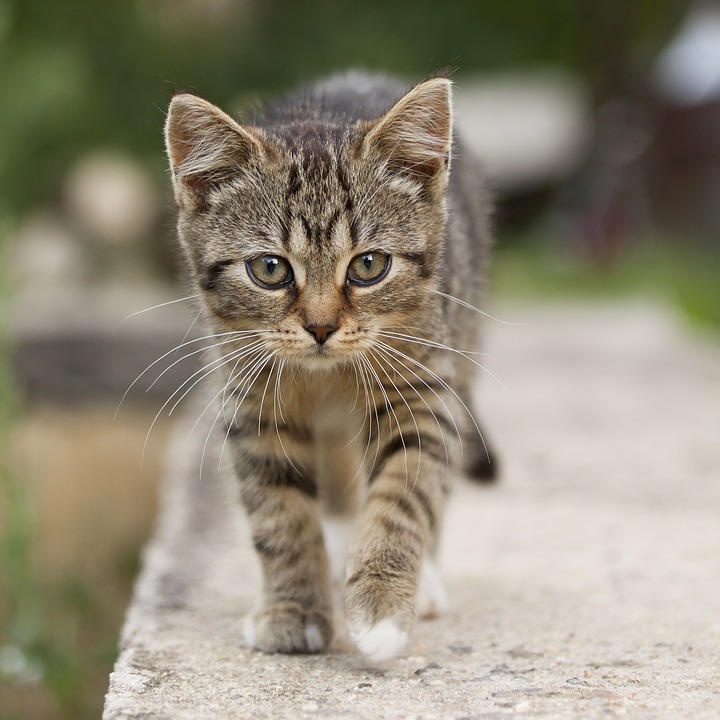
Output: Horizontally Flipped Image |
CV-CUDA Operators Used
Operator |
Purpose |
|---|---|
Mirror an image along one or both spatial axes |
Common Utilities Used
read_image() - Load image as CV-CUDA tensor
write_image() - Save flipped image
See Also
Resize Operator - Resize images with CV-CUDA
Common Utilities - Helper functions