Normalize
Overview
The Normalize sample demonstrates per-channel mean-and-standard-deviation normalization
using CV-CUDA’s GPU-accelerated normalize operator. The sample applies the standard
ImageNet statistics (mean [123.675, 116.28, 103.53] and std [58.395, 57.12, 57.375]
expressed in [0, 255] space) to an RGB image, producing float32 normalized values.
Because the normalized output is not directly viewable as a JPEG, the sample linearly
rescales the result back to the [0, 255] uint8 range before saving.
Usage
Basic Usage
Normalize an image using the default ImageNet statistics:
python3 normalize.py -i input.jpg
Custom Output Path
Specify a custom output file:
python3 normalize.py -i input.jpg -o my_normalized.jpg
Command-Line Arguments
Argument |
Short Form |
Default |
Description |
|---|---|---|---|
|
|
tabby_tiger_cat.jpg |
Input image file path |
|
|
cvcuda/.cache/cat_normalize.jpg |
Output image file path |
Implementation
Setup: Mean and Std Tensors
# The normalize operator expects base (mean) and scale (std) tensors with
# the same layout as the source.  We use per-channel ImageNet statistics
# expressed as pixel values in [0, 255] so no manual pre-scaling is needed.
# Shape (1, 1, 3) broadcasts over height and width for an HWC image.
imagenet_mean = np.array(
    [[[123.675, 116.28, 103.53]]], dtype=np.float32
)  # R, G, B means × 255
imagenet_std = np.array(
    [[[58.395, 57.12, 57.375]]], dtype=np.float32
)  # R, G, B stds × 255

base_tensor = cvcuda.Tensor(imagenet_mean.shape, np.float32, "HWC")
scale_tensor = cvcuda.Tensor(imagenet_std.shape, np.float32, "HWC")
upload_tensor(imagenet_mean, base_tensor)
upload_tensor(imagenet_std, scale_tensor)

# Convert the uint8 HWC input to float32 so that the operator emits float32
# output; a uint8 source would produce a clamped uint8 result that is
# unsuitable for visualising the normalized values.
uint8_host = download_tensor(input_image)
float32_host = uint8_host.astype(np.float32)

float32_tensor = cvcuda.Tensor(float32_host.shape, np.float32, "HWC")
upload_tensor(float32_host, float32_tensor)
Normalize Operator Call
# The normalize operator expects base (mean) and scale (std) tensors with
# the same layout as the source.  We use per-channel ImageNet statistics
# expressed as pixel values in [0, 255] so no manual pre-scaling is needed.
# Shape (1, 1, 3) broadcasts over height and width for an HWC image.
imagenet_mean = np.array(
    [[[123.675, 116.28, 103.53]]], dtype=np.float32
)  # R, G, B means × 255
imagenet_std = np.array(
    [[[58.395, 57.12, 57.375]]], dtype=np.float32
)  # R, G, B stds × 255

base_tensor = cvcuda.Tensor(imagenet_mean.shape, np.float32, "HWC")
scale_tensor = cvcuda.Tensor(imagenet_std.shape, np.float32, "HWC")
upload_tensor(imagenet_mean, base_tensor)
upload_tensor(imagenet_std, scale_tensor)

# Convert the uint8 HWC input to float32 so that the operator emits float32
# output; a uint8 source would produce a clamped uint8 result that is
# unsuitable for visualising the normalized values.
uint8_host = download_tensor(input_image)
float32_host = uint8_host.astype(np.float32)

float32_tensor = cvcuda.Tensor(float32_host.shape, np.float32, "HWC")
upload_tensor(float32_host, float32_tensor)
Key points:
base and scale tensors: Broadcast-shaped
(1, 1, 3)HWC tensors holding per-channel mean and standard deviation values; the operator broadcasts them across all pixels automatically.SCALE_IS_STDDEV flag: Tells the operator that the
scaleargument is a standard deviation rather than a raw scaling factor, so it computesout = (src - base) / (scale + epsilon).Float32 input requirement: Passing a float32 source keeps the output in float32 so the normalized values retain their signed range; a uint8 source would clamp the result back to uint8.
epsilon: A small regularizer added to the denominator, preventing division by zero when the standard deviation is near zero.
Visualization rescaling: The normalized output typically falls in
[-2, 2]. The sample min-max rescales that range back to[0, 255]for JPEG encoding.
Expected Output
The output shows the pixel distribution shifted and scaled by the ImageNet statistics, then remapped to uint8 for viewing:

Original Input Image |
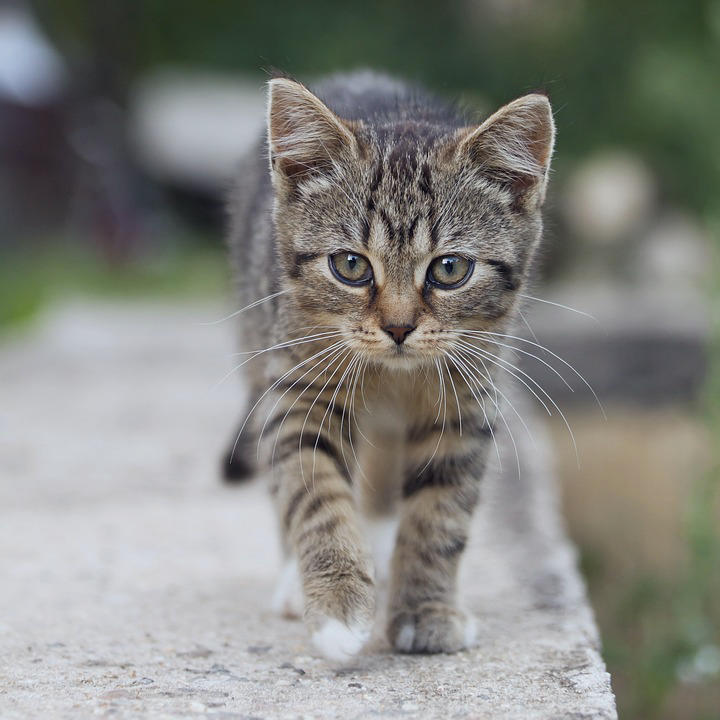
Output: ImageNet-normalized (rescaled to uint8 for display) |
CV-CUDA Operators Used
Operator |
Purpose |
|---|---|
Apply per-channel mean-std normalization to a tensor |
Common Utilities Used
read_image() - Load image as CV-CUDA tensor
write_image() - Save normalized image
cuda_memcpy_h2d/cuda_memcpy_d2h- Transfer base/scale parameters and results between host and device
See Also
Resize Operator - Resize images with GPU acceleration
Common Utilities - Helper functions used in this sample