Joint Bilateral Filter
Overview
The Joint Bilateral Filter sample demonstrates edge-preserving image smoothing using CV-CUDA’s GPU-accelerated joint bilateral filter operator. Unlike the standard bilateral filter, the joint (cross) variant uses a separate guidance image to steer the range kernel — edges detected in the guidance image are preserved in the filtered output, making it well-suited for noise reduction while retaining sharp structural boundaries.
Usage
Basic Usage
Apply joint bilateral filtering to an image using the default input:
python3 joint_bilateral_filter.py -i input.jpg
Custom Output
Specify a custom output path:
python3 joint_bilateral_filter.py -i input.jpg -o cat_joint_bilateral_filter.jpg
Command-Line Arguments
Argument |
Short Form |
Default |
Description |
|---|---|---|---|
|
|
tabby_tiger_cat.jpg |
Input image file path |
|
|
cvcuda/.cache/cat_joint_bilateral_filter.jpg |
Output image file path |
Implementation
Joint Bilateral Filter
# The joint bilateral filter smooths `src` guided by `srcColor`.
# Using a grayscale-converted version of the image as the guidance signal
# keeps edges defined by luminance sharp while smoothing color noise.
# We batch the HWC tensor to NHWC so cvtcolor (which requires a batch dim) works.
nhwc_image: cvcuda.Tensor = input_image.reshape((1, *input_image.shape), "NHWC")
guidance_image: cvcuda.Tensor = cvcuda.cvtcolor(
    nhwc_image, cvcuda.ColorConversion.RGB2GRAY
)
# cvtcolor produces a 1-channel NHWC tensor; replicate to 3 channels so it
# matches the source tensor's channel count, which joint_bilateral_filter requires.
guidance_3ch: cvcuda.Tensor = cvcuda.cvtcolor(
    guidance_image, cvcuda.ColorConversion.GRAY2RGB
)
Key points:
Guidance image: A grayscale-derived image is used as the guidance signal so that luminance edges govern which pixels are blended — colour-channel noise is reduced without crossing structural boundaries.
Channel matching:
srcColormust have the same spatial size and channel count assrc; the grayscale result is converted back to 3-channel RGB before being passed as guidance.diameter: Controls the neighbourhood size; larger values consider farther pixels but increase cost quadratically.
sigma_color / sigma_space: Larger values produce stronger smoothing;
sigma_colorgoverns how different colours can still be blended,sigma_spacegoverns spatial reach.Batch dimension: The HWC tensor read from disk is reshaped to NHWC for
cvtcolorand the filter call, then reshaped back to HWC before writing the output.
Expected Output
The output is a smoothed version of the input with fine texture noise reduced while prominent edges — fur boundaries, whiskers — remain sharp because the luminance guidance image keeps them intact.

Original Input Image |
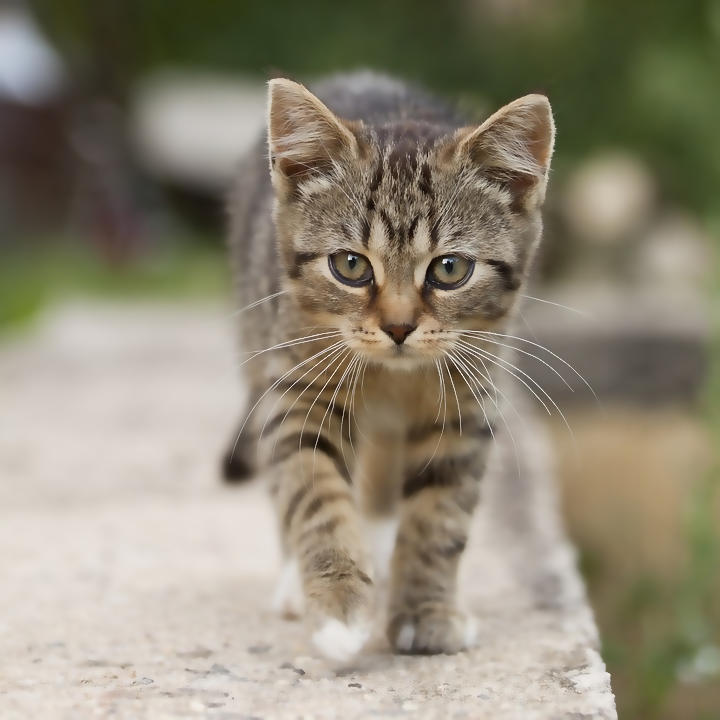
Output: Joint Bilateral Filtered |
CV-CUDA Operators Used
Operator |
Purpose |
|---|---|
Edge-preserving smoothing guided by a separate reference image |
|
Convert RGB to grayscale (and back) to build the guidance tensor |
Common Utilities Used
read_image() - Load image as CV-CUDA tensor
write_image() - Save filtered image
See Also
Resize Operator - Basic spatial transformation
Common Utilities - Helper functions