CLAHE
Overview
The CLAHE sample demonstrates Contrast Limited Adaptive Histogram Equalization using CV-CUDA’s
GPU-accelerated cvcuda.clahe operator. CLAHE improves local contrast by equalizing the
histogram of small contextual tiles independently, then clipping the amplification to a
user-supplied limit to suppress noise amplification. The result is a perceptually clearer image
without the over-saturation that can occur with global histogram equalization.
Because cvcuda.clahe requires a single-channel (grayscale) U8 tensor, the sample first
converts the RGB input to grayscale, applies CLAHE, and then replicates the enhanced grayscale
channel across R, G, and B for a viewable output image.
Usage
Basic Usage
Apply CLAHE to an image (default clip_limit=2.0, tile_grid_size=(8, 8)):
python3 clahe.py -i input.jpg
Custom Example
Specify a custom input and output path:
python3 clahe.py -i input.jpg -o cat_clahe.jpg
Command-Line Arguments
Argument |
Short Form |
Default |
Description |
|---|---|---|---|
|
|
tabby_tiger_cat.jpg |
Input image file path |
|
|
cvcuda/.cache/cat_clahe.jpg |
Output image file path |
Implementation
CLAHE Operator
# CLAHE requires a single-channel (grayscale) U8 tensor.
# Convert the RGB input to grayscale using cvtcolor, producing HWC with C=1.
nhwc_image: cvcuda.Tensor = cvcuda.stack([input_image])
gray_nhwc: cvcuda.Tensor = cvcuda.cvtcolor(
    nhwc_image, cvcuda.ColorConversion.RGB2GRAY
)
Key points:
Grayscale requirement:
cvcuda.claheonly accepts single-channelU8tensors; RGB inputs must first be converted withcvcuda.cvtcolor(src, cvcuda.ColorConversion.RGB2GRAY).clip_limit: Values above 1.0 enable contrast limiting; the default of 2.0 provides moderate enhancement while suppressing noise. Setting it to 0.0 raises an exception.
tile_grid_size: The tuple
(cols, rows)of contextual tiles; each tile must be at least 1×1. Larger grids produce more localised adaptation at the cost of extra computation.Stream support: An optional
streamkeyword enables asynchronous GPU execution; callstream.sync()before reading results back to the host.Batch support: The operator accepts both
HWC(single image) andNHWC(batch) tensors as well as variable-shape image batches (ImageBatchVarShape).
Expected Output
The output shows the grayscale-enhanced image saved as a three-channel (RGB) JPEG for viewer compatibility:

Original Input Image |
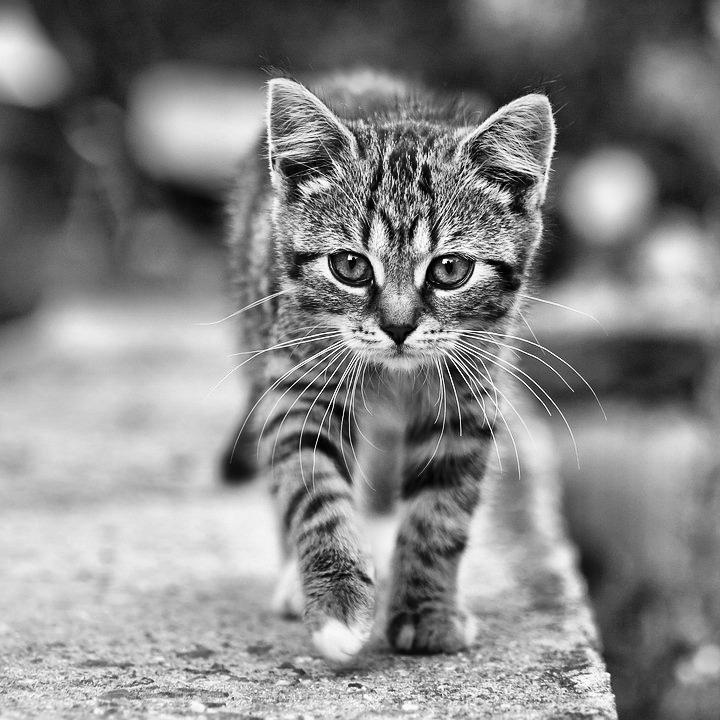
Output: CLAHE-enhanced grayscale (replicated to RGB) |
CV-CUDA Operators Used
Operator |
Purpose |
|---|---|
Contrast Limited Adaptive Histogram Equalization on a grayscale tensor |
|
Convert RGB input image to single-channel grayscale before CLAHE |
|
Stack the HWC input tensor into an NHWC batch for |
Common Utilities Used
read_image() - Load image as CV-CUDA tensor
write_image() - Save CLAHE-enhanced image
cuda_memcpy_d2h- Download CLAHE result to host for grayscale-to-RGB replicationcuda_memcpy_h2d- Upload the replicated RGB array back to a CVCUDA tensor
See Also
Resize Operator - Simple spatial transformation example
Common Utilities - Helper functions used across samples