Histogram Equalization
Overview
The Histogram Equalization sample demonstrates GPU-accelerated contrast enhancement using
CV-CUDA’s histogrameq operator. The operator redistributes pixel intensities so the
cumulative histogram of the output image is approximately uniform, improving global contrast
without any parameter tuning.
Usage
Basic Usage
Equalize an image with the default input:
python3 histogrameq.py
Custom Input
Specify a custom input and output path:
python3 histogrameq.py -i input.jpg -o cat_histogrameq.jpg
Command-Line Arguments
Argument |
Short Form |
Default |
Description |
|---|---|---|---|
|
|
tabby_tiger_cat.jpg |
Input image file path |
|
|
cvcuda/.cache/cat_histogrameq.jpg |
Output image file path |
Implementation
Histogram Equalization
# Histogram equalization in CVCUDA works on single-channel (grayscale) or
# multi-channel tensors in HWC/NHWC layout with U8 dtype.
# We batch the HWC image into NHWC so we can use cvtcolor for RGB->GRAY conversion.
nhwc_image: cvcuda.Tensor = cvcuda.stack([input_image])
gray_image: cvcuda.Tensor = cvcuda.cvtcolor(
    nhwc_image, cvcuda.ColorConversion.RGB2GRAY
)
Key points:
Grayscale conversion:
cvcuda.cvtcolorwithRGB2GRAYis applied first because histogram equalization is most meaningful on a single luminance channel.Batched NHWC layout: The HWC image is wrapped in a batch dimension via
cvcuda.stackso thecvtcoloroperator (which expects NHWC) can be used directly.dtype keyword:
cvcuda.histogrameqrequires an explicitdtypeargument when operating on aTensor; for image-batch inputs the argument is optional.Host-side channel replication: The equalized single-channel output is downloaded, tiled to three channels on the CPU, and re-uploaded as an HWC tensor so
write_imagecan encode a standard JPEG.Zero-copy back-path:
cuda_memcpy_h2dandcuda_memcpy_d2havoid any Python-level buffer copies beyond the mandatory host round-trip needed for channel replication.
Expected Output
The output shows the original image converted to grayscale with equalized contrast:

Original Input Image |
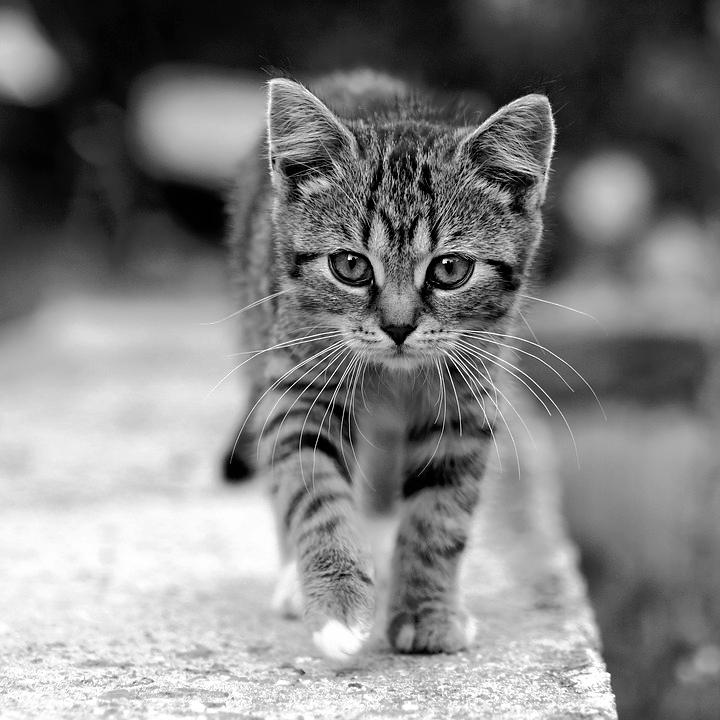
Output: Histogram-Equalized Grayscale |
CV-CUDA Operators Used
Operator |
Purpose |
|---|---|
Equalize pixel-intensity histogram to enhance global contrast |
|
Convert RGB image to single-channel grayscale before equalization |
|
Wrap a single HWC tensor into an NHWC batch for |
Common Utilities Used
read_image() - Load image as CV-CUDA tensor
write_image() - Save equalized image
cuda_memcpy_d2h- Download equalized tensor to NumPy for channel replicationcuda_memcpy_h2d- Upload replicated RGB tensor back to GPU for encoding
See Also
Resize Operator - Basic image transformation example
Common Utilities - Helper functions used across samples