Channel Reorder
Overview
The Channel Reorder sample demonstrates per-image channel permutation using CV-CUDA’s
GPU-accelerated channelreorder operator. It reads an RGB image, wraps it in an
ImageBatchVarShape, specifies a [2, 1, 0] channel-index order to swap R and B
(producing a BGR image), and writes the result back to disk.
Usage
Basic Usage
Apply the default RGB → BGR channel swap:
python3 channelreorder.py -i input.jpg
Custom Input and Output
Specify custom input and output paths:
python3 channelreorder.py -i input.jpg -o cat_channelreorder.jpg
Command-Line Arguments
Argument |
Short Form |
Default |
Description |
|---|---|---|---|
|
|
tabby_tiger_cat.jpg |
Input image file path |
|
|
cvcuda/.cache/cat_channelreorder.jpg |
Output image file path |
Implementation
Setup: Wrapping the Input Tensor as an ImageBatchVarShape
# channelreorder operates on ImageBatchVarShape rather than plain tensors,
# so we wrap the HWC tensor as a cvcuda.Image and add it to a batch.
# cvcuda.as_image ties the buffer lifetime to the Image object.
cv_image: cvcuda.Image = cvcuda.as_image(
    input_image.cuda(), format=cvcuda.Format.RGB8
)

batch = cvcuda.ImageBatchVarShape(1)
batch.pushback(cv_image)

# Build the orders tensor with layout "NC" (num_images × num_channels).
# Each row lists, for every output channel, which input channel index to read.
# [2, 1, 0] maps R→B, G→G, B→R — a standard RGB-to-BGR channel swap.
order_data = np.array([[2, 1, 0]], dtype=np.int32)
orders: cvcuda.Tensor = cvcuda.Tensor((1, 3), dtype=np.int32, layout="NC")
cuda_memcpy_h2d(order_data, orders.cuda())
Channel Reorder Operator Call
# channelreorder operates on ImageBatchVarShape rather than plain tensors,
# so we wrap the HWC tensor as a cvcuda.Image and add it to a batch.
# cvcuda.as_image ties the buffer lifetime to the Image object.
cv_image: cvcuda.Image = cvcuda.as_image(
    input_image.cuda(), format=cvcuda.Format.RGB8
)

batch = cvcuda.ImageBatchVarShape(1)
batch.pushback(cv_image)

# Build the orders tensor with layout "NC" (num_images × num_channels).
# Each row lists, for every output channel, which input channel index to read.
# [2, 1, 0] maps R→B, G→G, B→R — a standard RGB-to-BGR channel swap.
order_data = np.array([[2, 1, 0]], dtype=np.int32)
orders: cvcuda.Tensor = cvcuda.Tensor((1, 3), dtype=np.int32, layout="NC")
cuda_memcpy_h2d(order_data, orders.cuda())
Key points:
Two input containers — fixed-shape
Tensorinputs take a host order sequence, whileImageBatchVarShapeinputs take a device-resident per-image orders tensor.VarShape orders layout — the
orderstensor must have layout"NC"(num_images × num_channels), where each row gives the input-channel index for each output channel.Tensor order sequence —
cvcuda.channelreorder(tensor, [2, 1, 0])performs the canonical RGB → BGR swap without allocating a device parameter tensor.Zero-copy wrapping —
cvcuda.as_imageties the source buffer lifetime to theImageobject; no extra device copy is performed.Result extraction — iterate over a variable-shape output and call
cvcuda.as_tensor(out_image.cuda(), "HWC")to obtain a writable HWC tensor.
Expected Output
The output image has its red and blue channels swapped relative to the input:

Original Input Image (RGB) |
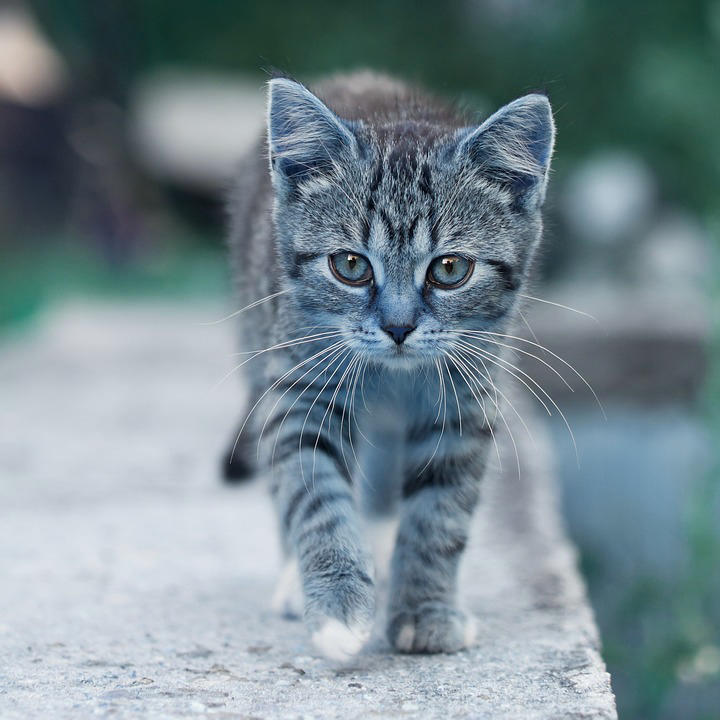
Output: Channels Reordered to BGR |
CV-CUDA Operators Used
Operator |
Purpose |
|---|---|
Permute image channels according to a per-image index tensor |
Common Utilities Used
read_image() - Load image as CV-CUDA tensor
write_image() - Save reordered image
cuda_memcpy_h2d- Upload the host-side orders array to the GPU
See Also
Resize Operator - Basic GPU image resizing
Common Utilities - Helper functions